Sing solo
Your song. Your moment.
Find a karaoke video and play it right on your device. Take the spotlight whenever you feel like singing.

Karaoke together
Search a song, sing solo, or invite friends to your room.
ENTER SINGROOM KTVNo app required.
Start singing solo or with friends.

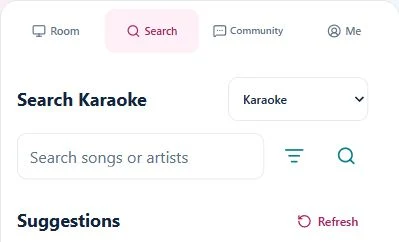
Find your next song
Find your rhythm
Your song. Your moment.
Find a karaoke video and play it right on your device. Take the spotlight whenever you feel like singing.
Everyone gets a turn.
Host a room and share its code or QR. Friends can search and reserve songs from their own phones.
Keep your favorites close.
Sign in to save favorites, adjust your preferences, or explore VIP for more ways to enjoy SingRoom.
From first click to first song
Open the app in your browser. Start on the device you want to play on.
Search for a title or artist, then open a result to play or reserve it.
Enjoy a solo session, or host a room and share the code with your group.
Yes. Enter SingRoom, choose a song in Search and play it on your device. Create a room only when you want friends to join.
Open the Room tab to host a room, then share its code or QR. Friends open SingRoom and use Join in their Room tab. The video plays on the host device.
You can start singing in a supported browser without installing an app or signing in. An account lets you save favorites and use account features.
SingRoom manages video playback and the song queue. Use your own microphone, speakers or karaoke audio setup; the app does not mix or transmit microphone audio.
VIP includes supported in-app ad-free features and additional content-mode actions. Visit the VIP shop for current offers and full details. YouTube’s own ads and playback restrictions still apply.
Try the SingRoom Android TV app. For other devices, use your browser.